Pre-Viz Isn't Just for Marvel
When most filmmakers hear "pre-visualization," they think of multimillion-dollar 3D animatics built by VFX studios for Marvel films. Teams of artists spending months creating virtual camera moves through fully modeled digital environments.
That's one kind of pre-viz. It's also completely irrelevant to indie filmmakers.
The pre-viz that matters for a $5K short film or a $50K feature is simpler and more practical: any process that lets you see your film before you shoot it, so you can make mistakes cheaply on screen instead of expensively on set.
A storyboard is pre-viz. A shot list with framing notes is pre-viz. Walking through your location with your phone camera and blocking scenes with friends is pre-viz. A rough animatic timed to your sound design is pre-viz.
None of these cost more than your time. All of them save money on set.
Why Pre-Viz Saves Money (The Math)
Let's say your short film shoots over 3 days. Your daily costs:
| Line Item | Daily Cost |
|---|---|
| Location rental | $200-500 |
| Equipment rental | $300-800 |
| Food for crew (10 people) | $150-300 |
| Gas/transport | $50-100 |
| Misc (expendables, props) | $50-100 |
| Daily total | $750-1,800 |
Every hour of wasted set time costs $100-225. If you spend 2 hours on a scene because the blocking wasn't planned and the camera placement doesn't work with the location, that's $200-450 burned.
A director who spends 4 hours pre-visualizing that scene would have caught the blocking issue before anyone arrived on set. Pre-viz cost: $0. Problem cost without pre-viz: $200-450 plus a frustrated crew and lower morale for the rest of the day.
Pre-viz doesn't cost money. Not doing pre-viz costs money.
The Free Pre-Viz Stack
Here's what I use for projects where the budget barely covers lunch:
1. Location Scouts With Your Phone (Cost: $0)
Visit your location. Walk through each scene. Stand where the camera would be for each shot. Take photos from each camera position. These photos become your de facto storyboard for that location.
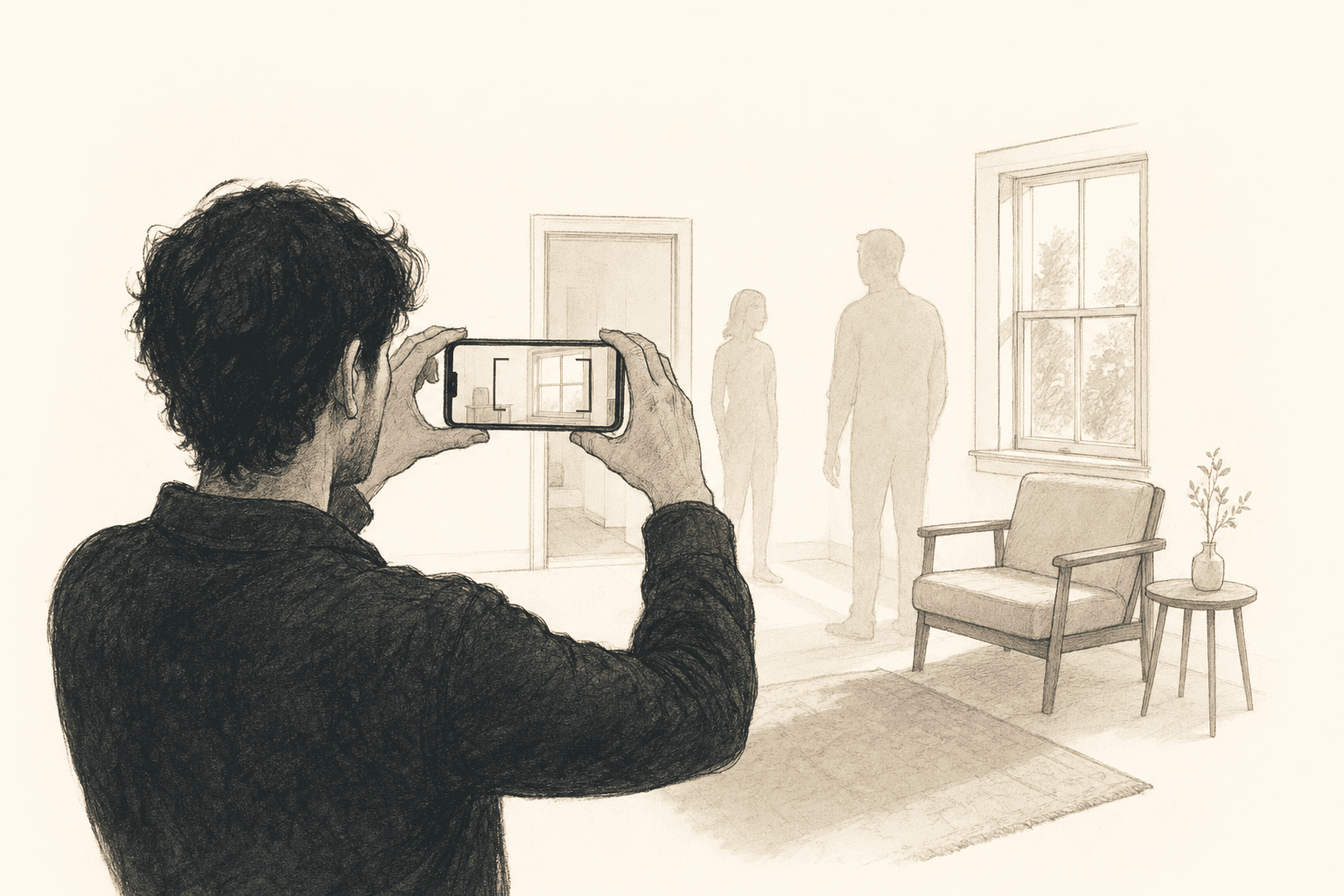
Pro tip: Bring a friend to stand in for characters. Even rough blocking reference — "you stand by the window, I'll shoot from the doorway" — reveals spatial problems before they happen. That corner you planned to dolly through? It's full of furniture. The wide establishing shot you imagined? The room is too small. Better to learn this now.
2. Overhead Diagrams (Cost: $0)
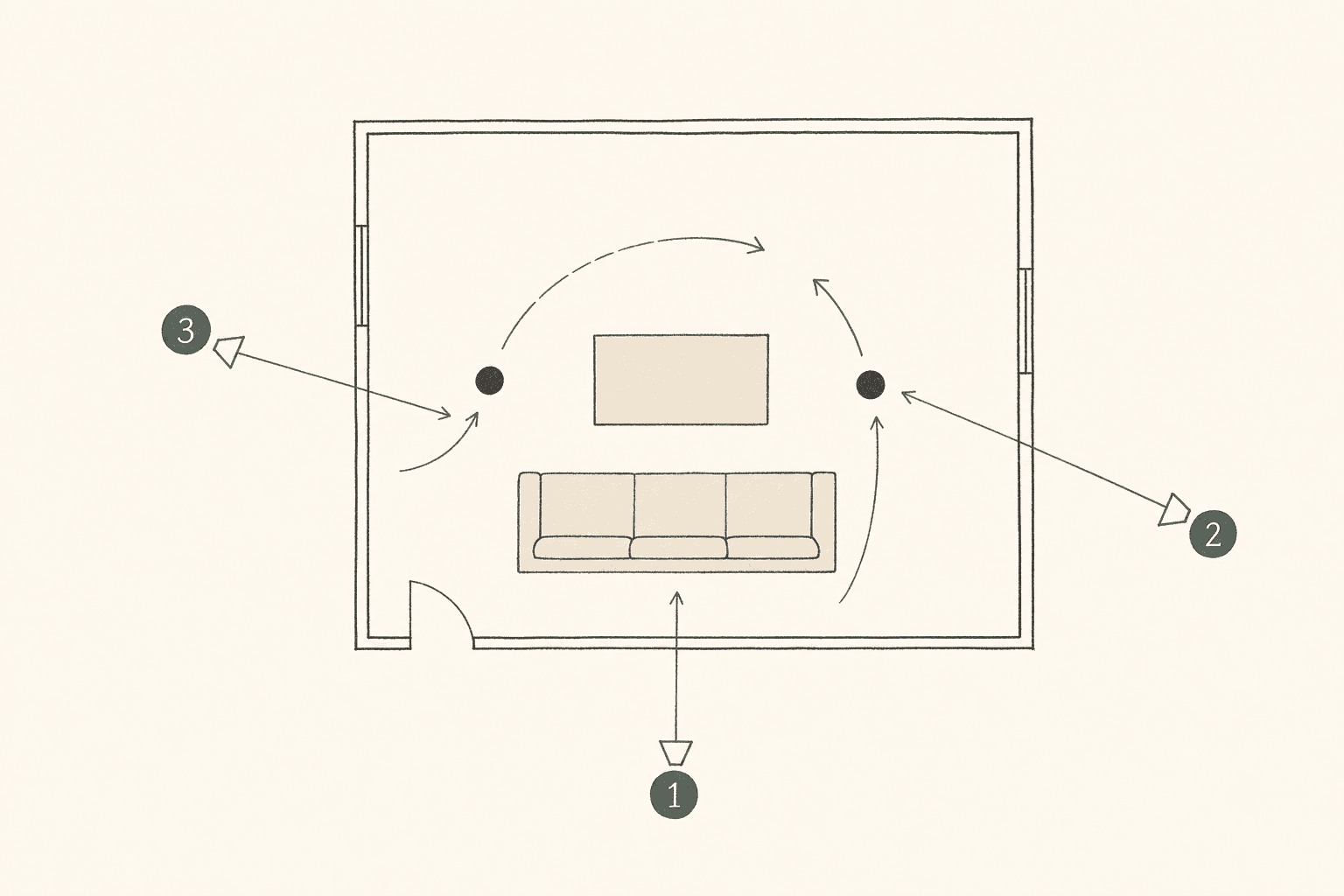
For complex blocking, sketch a bird's-eye view of the location with character positions and camera placements marked. You don't need special software — a piece of paper and a pen work fine.
Mark:
- Camera positions for each setup (numbered circles)
- Character positions (labeled dots)
- Movement paths (arrows)
- Furniture and obstacles (rectangles)
This diagram becomes your shooting map. Your AD uses it to plan setup order (minimize camera moves). Your gaffer uses it to plan lighting positions.
3. AI Storyboarding (Cost: Free tier)
Upload your screenplay to an AI storyboarding tool and generate visual frames for your key scenes. This is the fastest way to get from "words on a page" to "visual storyboard" without drawing or hiring anyone.
The free tier on most AI tools gives you enough credits for 1-2 scenes. Prioritize your most complex scenes — the ones where blocking, camera movement, or editing rhythm need visual planning.
4. Rough Animatic (Cost: $0)
Take your storyboard frames (hand-drawn, phone photos, or AI-generated) and import them into a video editor. Time each frame to match the approximate duration of each shot. Add a rough soundtrack or dialogue temp track.
Now you can watch your film before you shoot it. Does the pacing work? Is the cutting rhythm right? Does the sequence build tension or release it too early?
Free tools: DaVinci Resolve (free edition), iMovie, CapCut. Import frames as images, set duration for each, add audio.
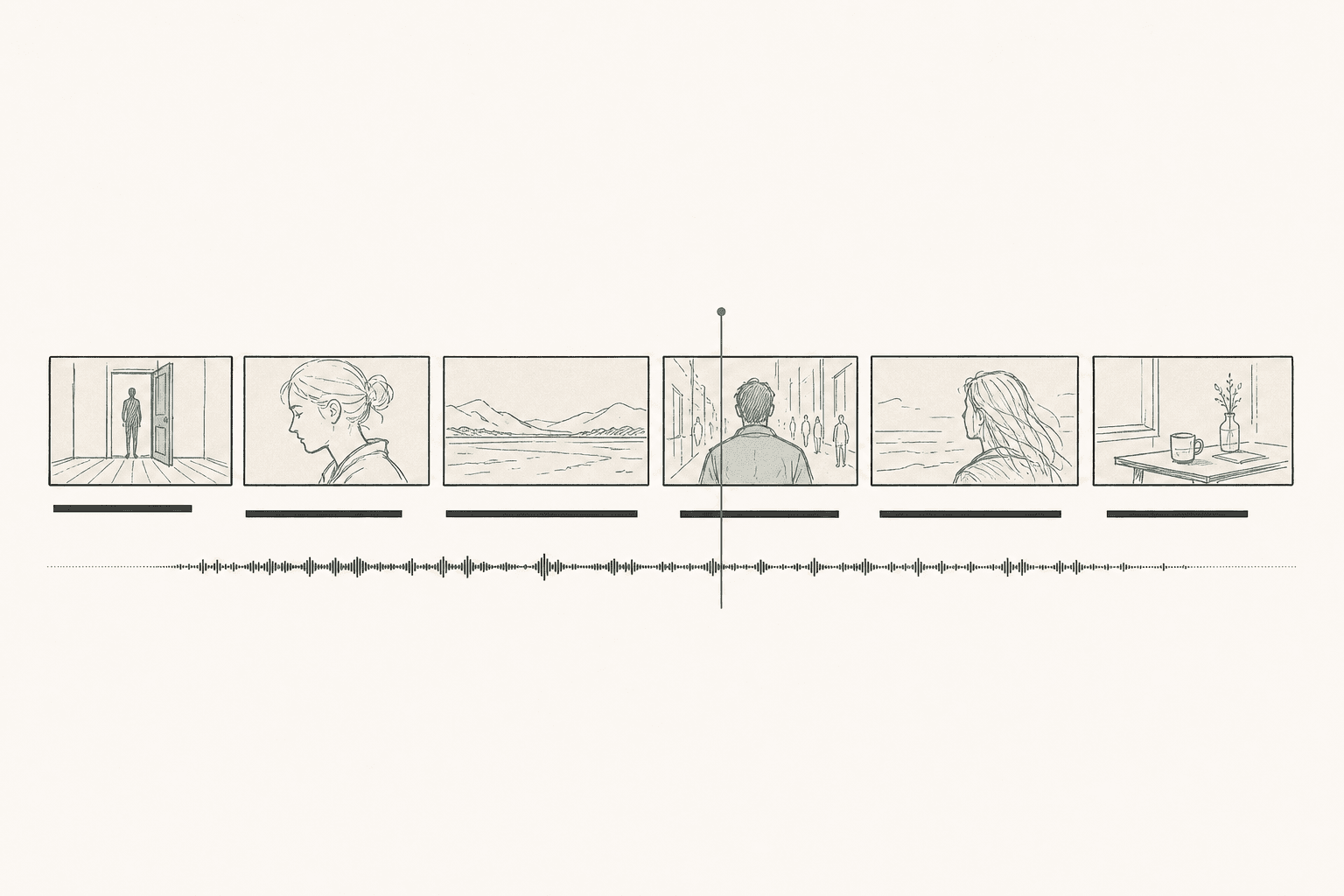
An animatic takes 1-2 hours to assemble and can save you an entire reshoot day.
5. Table Reads With Blocking (Cost: $0)
Read through the script with your actors (or friends standing in) while walking through the blocking in the actual location. This isn't a rehearsal — it's a pre-viz exercise.
What you learn:
- Whether the dialogue timing matches the physical action
- Whether the blocking feels natural in the real space
- Whether your planned camera positions capture the most important moments
- Whether there are sight-line issues you didn't anticipate
What to Pre-Viz vs What to Wing
Not everything needs pre-visualization. Here's how to prioritize:
Always pre-viz:
- Scenes with 3+ characters in active blocking
- Any scene requiring camera movement coordinated with actor movement
- Action sequences, fights, and choreography
- Scenes with practical effects, VFX, or green screen
- Your opening sequence (sets the visual tone for the whole film)
- Your climactic scene (the emotional payload — get it right)
Probably pre-viz:
- Scenes in unfamiliar locations (scout and photograph)
- Scenes with specific prop or wardrobe interactions
- Long oners or extended single takes
Usually fine without pre-viz:
- Simple dialogue scenes in familiar spaces
- Establishing shots
- Reaction shots and cutaways
- Standard coverage of known scene types (two-person conversation)
For a 10-scene short, you'll typically pre-viz 4-5 scenes in detail and shot-list the rest. That's 3-4 hours of pre-production work that saves 6-8 hours on set.
The Pre-Viz Workflow That Costs Nothing
Here's the complete workflow from screenplay to set-ready pre-viz, using only free tools:
Day 1 (2 hours): Script analysis + shot lists
- Read your screenplay scene by scene
- Flag the scenes that need visual pre-viz (see criteria above)
- Create shot lists for all scenes (flagged and unflagged)
- Use AI tools for speed: upload your screenplay and generate shot lists automatically
Day 2 (2 hours): Visual pre-viz for flagged scenes
- Location scout photos for spatial reference
- AI-generated storyboard frames OR hand-drawn sketches OR overhead diagrams
- Focus on the 3-4 scenes that need it most
Day 3 (1-2 hours): Rough animatic
- Import frames into a free video editor
- Time each shot to approximate duration
- Add temp audio (dialogue, music, effects)
- Watch it. Identify problems. Adjust.
Total time: 5-6 hours over 3 days. Total cost: $0.
That's less than one day's craft services budget. And it prevents the kind of on-set disasters that eat entire shooting days.
One Last Thing: Pre-Viz Isn't a Contract
The storyboard is a plan, not a prison. When you get to set and a happy accident happens — the light hits the window perfectly, an actor makes a choice you didn't expect, the location reveals an angle you didn't see in the scout — take the shot.
Pre-viz gives you a floor, not a ceiling. With a solid pre-viz plan, you can afford to improvise because you know you've already captured the essential coverage. The planned shots are in the can. Now you can play.
Without pre-viz, you can't improvise because you're too busy trying to figure out the basics. The freedom to be spontaneous on set comes from the discipline of planning off set.
The same argument holds when there is no set at all. If the shots are going to be generated rather than filmed, the planning gets more valuable, not less, because every take costs credits — see where each AI video tool expects you to start.
Ready to speed up your pre-production?
StoryBirdie turns your screenplay into a professional storyboard in minutes. See pricing or jump straight in.
About the author
Aayush is co-founder and director at StoryBirdie. He's a screenwriter, director, stand-up comedian, and full-stack developer — co-founder of Kathmandu's Comedy Tuk Tuk, with directing and writing credits on shorts, music videos, and comedy projects. He builds StoryBirdie on the conviction that storyboarding is expensive, time-consuming, and important — and that a tool for it should serve the filmmaker's vision, not replace it. StoryBirdie is currently in use on a Nepali feature, a Sri Lankan TV commercial, and at one of Nepal's largest production houses. Based in Kathmandu, Nepal.
Keep reading
- Storyboard vs Animatic: What's the Difference?Storyboards and animatics serve different purposes in pre-production. Learn when to use each and how they work together.·10 min read
- Famous Storyboard Examples From Iconic FilmsReal storyboard examples from Hitchcock, Spielberg, Ridley Scott, and more. See how master directors planned their most iconic shots.·7 min read
- Storyboarding for Horror Films: A Director's Visual GuideHow to storyboard horror scenes that build dread, deliver scares, and control pacing. Camera techniques, framing, and visual storytelling for horror.·9 min read
- How to Storyboard for Animation: A Step-by-Step GuideStoryboarding for animation, step by step: timing, staging, acting through drawing, and the animatic pipeline. With real examples directors use.·8 min read