Commercial Storyboards Serve Two Masters
Film storyboards communicate with your crew. Commercial storyboards do that and communicate with the client.
That dual audience changes everything about how you approach them. A film storyboard can be rough sketches with annotations — your DP knows how to read them. A commercial storyboard often needs to be polished enough for a marketing director who has never read a storyboard in their life to look at it and say "yes, that's what we want."
This guide covers the practical differences between commercial and narrative storyboarding, and the workflow that keeps clients confident and crew prepared.
Why Commercial Storyboards Are Non-Negotiable
In narrative filmmaking, some directors skip storyboards and work from shot lists. In commercial work, you almost never skip them. Here's why:
Client approval. The client is paying for a specific deliverable. They need to see — visually — what they're getting before you shoot. A shot list doesn't give them that confidence. A storyboard does.
Budget justification. Every shot in a commercial costs real money. When the producer asks "do we really need a crane shot here?" you point to the storyboard: "yes, because the product reveal needs this vertical reveal movement — it's approved by the client."
Legal protection. The approved storyboard is your defense if a client says "this isn't what I asked for" after delivery. If the final video matches the approved boards, you're covered.
Timing precision. A 30-second spot has exactly 30 seconds. Not 31. Every frame of your storyboard needs to fit within that constraint. Unlike film, where a scene can breathe, commercial storyboarding is an exercise in compression.
The Commercial Storyboard Format
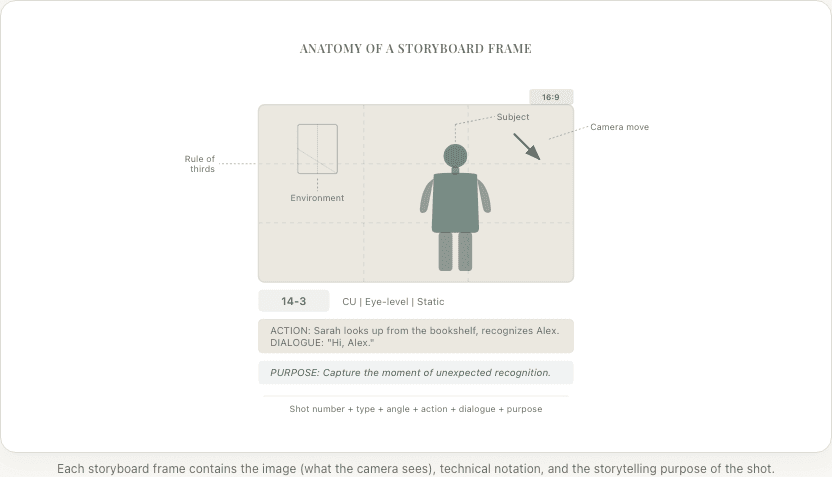
Commercial storyboards need more information per frame than film storyboards:
Standard frame card:
[Frame 1]                          [2 sec]
Shot: Medium CU, product in hand
Camera: Slight push in
Action: Talent lifts product, turns toward camera
VO: "Introducing the new..."
Super: Brand logo (lower third)
SFX: Whoosh transition
Music: Track bed starts, upbeat
Every frame includes:
- Duration — exact seconds this shot holds (must total to :15, :30, or :60)
- Visual description — what the camera sees
- Camera movement — any motion
- Voiceover (VO) — exact script words during this shot
- Supers — text overlays, logos, legal disclaimers, CTAs
- SFX — sound effects
- Music notes — where the music bed hits
The Workflow: Brief to Board
Step 1: Understand the Brief
Before you touch a storyboard, make sure you understand:
- The core message. What is this ad trying to say? One sentence.
- The target audience. Who watches this and what do they care about?
- The CTA (call to action). What should the viewer do after watching?
- The format and duration. :15, :30, :60? Square (social)? 16:9 (broadcast)?
- Brand guidelines. Colors, fonts, logo placement rules, tone of voice
- Mandatory elements. Legal disclaimers, product shots, specific taglines
Get these in writing before you start boarding. Revision cycles caused by misunderstood briefs are the biggest time waste in commercial production.
Step 2: Write the Script First
Commercial storyboarding starts with the script, not the visuals. (This mirrors the screenplay-first workflow used in narrative filmmaking.) The script defines timing — and timing is everything in a :30 spot.
Read the VO aloud with a timer. If 150 words of VO are scripted for a :30 spot, it won't fit (average speaking pace is 130-150 words per minute). The script needs to be tight before you board.
Map the script to time:
| Timestamp | VO / Action | Duration |
|---|---|---|
| 0:00-0:03 | Opening visual, no VO | 3 sec |
| 0:03-0:08 | "Problem" statement | 5 sec |
| 0:08-0:15 | Product intro + demo | 7 sec |
| 0:15-0:22 | Benefits / features | 7 sec |
| 0:22-0:27 | Social proof / testimonial | 5 sec |
| 0:27-0:30 | CTA + logo | 3 sec |
Now you know exactly how many frames you need and how long each holds.
Step 3: Board the Key Frames
For a :30 spot, you typically need 8-12 storyboard frames. Each frame represents a distinct shot or moment.
Frame priorities:
- Opening hook — the first 2-3 seconds that stop the scroll
- Product hero shot — the money shot, usually shot on a turntable or in a hero lighting setup
- Benefit demonstration — showing the product solving the problem
- CTA frame — the final card with logo, tagline, and call to action
Board these four frames first. They're the non-negotiable beats. Everything else (transitions, B-roll, lifestyle shots) fills the gaps.
Step 4: Client Presentation
Present storyboards to clients as a sequence, not individual frames. Walk them through the spot from start to finish, reading the VO while showing each frame with its timing.
Client presentation tips:
- Print boards on a single horizontal sheet so the client sees the flow
- Include timing under each frame
- Include VO text under each frame
- Add music/mood notes ("upbeat, energetic" vs "emotional, inspiring")
- Present two options if the brief is ambiguous — it's easier for clients to choose than to create
After approval: Get written sign-off. Email is fine. "Client approved storyboard v3 on [date]" protects everyone.
Step 5: Production Board
After client approval, create a detailed production board for your crew. This version adds:
- Exact camera specs (lens, f-stop, frame rate if slo-mo)
- Lighting notes for the gaffer
- Props and wardrobe details for art department
- VFX call-outs (any post-production compositing)
- Equipment requirements per setup
The client sees the "presentation board." The crew sees the "production board." Same shots, different levels of technical detail.
Product Shots: The Money Frames
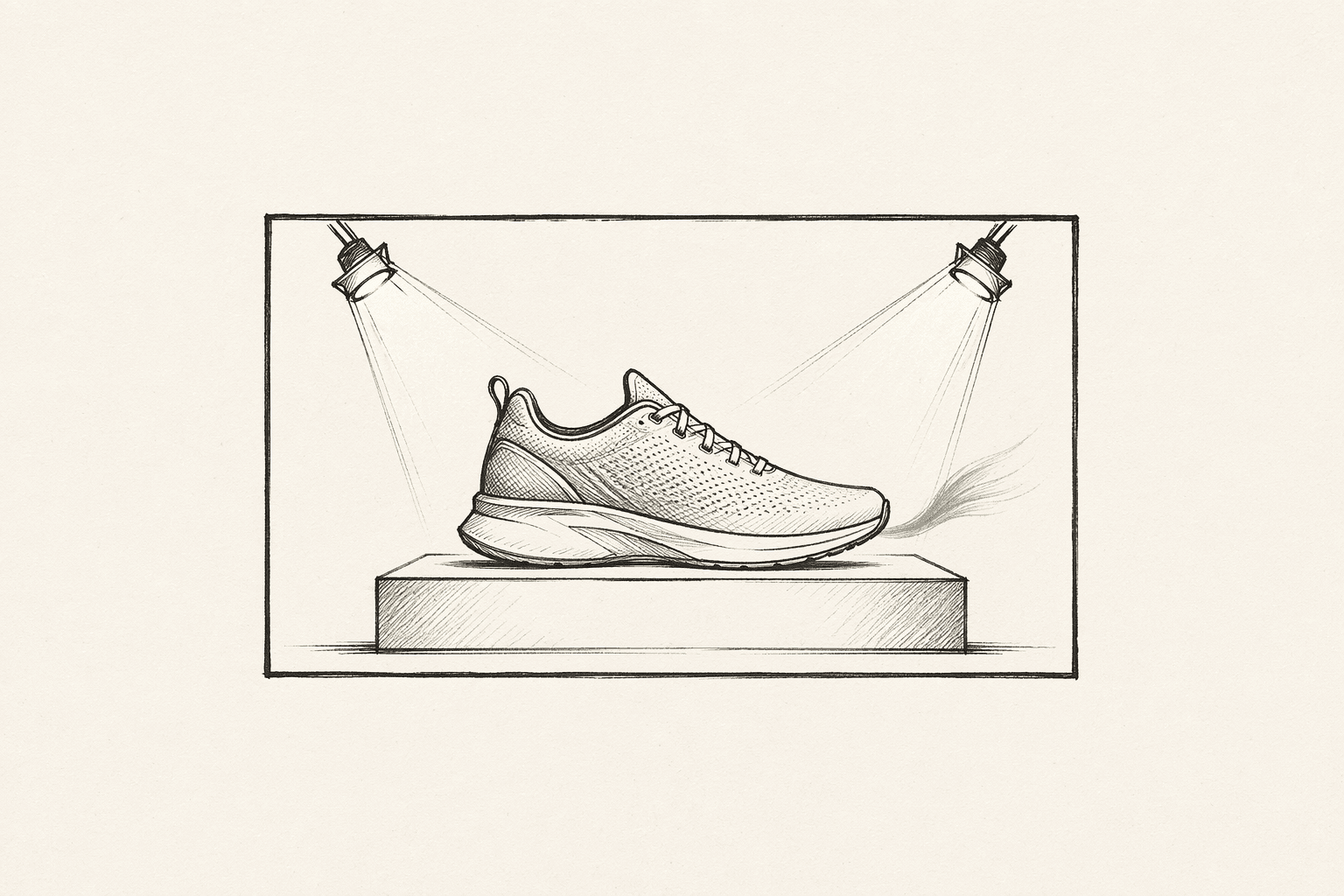
Product shots are the most scrutinized frames in any commercial storyboard. The client cares more about how their product looks than anything else.
Product shot checklist:
- Is the product the visual hero? (Largest element, sharpest focus, best lit)
- Is the label/branding facing camera?
- Is the product shown in use (lifestyle) or in isolation (beauty shot)?
- Is the background appropriate? (Clean for luxury, contextual for lifestyle)
- Is the product at the right angle? (Some products have a "hero angle" defined by the brand)
Board product shots with extra care. These frames will get the most revision notes. Getting them right early saves cycles.
Timing Constraints: The :30 Reality
Thirty seconds feels generous until you try to fill it. Here's the reality:
- :30 spot at 24fps = 720 frames. Every frame costs money.
- Average shot duration in modern commercials: 2-3 seconds. That's 10-15 shots for :30.
- Attention span for social ads: 3 seconds before the viewer scrolls. Your opening frame has to hook instantly.
- Legal disclaimers eat 2-3 seconds at the end of pharmaceutical and financial ads. Account for this in your storyboard timing.
Common mistake: Storyboarding a :30 spot with :45 worth of content. If you have 15 frames at 3 seconds each, that's :45 — you need to cut 5 frames. Better to catch this in the storyboard than on the shoot day.
Social Media Formats
Modern commercial storyboards often need to work across multiple formats:
| Format | Aspect Ratio | Duration | Notes |
|---|---|---|---|
| Broadcast TV | 16:9 | :15, :30, :60 | Traditional |
| YouTube pre-roll | 16:9 | :06 (bumper), :15, :30 | Skip button at :05 |
| Instagram Reels | 9:16 | :15-:30 | Vertical, sound-off friendly |
| TikTok | 9:16 | :15-:60 | Native feel, not "ad-like" |
| Facebook feed | 1:1 or 4:5 | :15-:30 | Autoplay, often muted |
| Connected TV | 16:9 | :15, :30 | Non-skippable |
If your storyboard needs to work in multiple formats, board the 16:9 version first, then note which frames need reframing for vertical. Product shots and CTAs are usually safe in any format. Wide establishing shots often need to be reframed or replaced for vertical.
Ready to speed up your pre-production?
StoryBirdie turns your screenplay into a professional storyboard in minutes. See pricing or jump straight in.
About the author
Aayush is co-founder and director at StoryBirdie. He's a screenwriter, director, stand-up comedian, and full-stack developer — co-founder of Kathmandu's Comedy Tuk Tuk, with directing and writing credits on shorts, music videos, and comedy projects. He builds StoryBirdie on the conviction that storyboarding is expensive, time-consuming, and important — and that a tool for it should serve the filmmaker's vision, not replace it. StoryBirdie is currently in use on a Nepali feature, a Sri Lankan TV commercial, and at one of Nepal's largest production houses. Based in Kathmandu, Nepal.
Keep reading
- How to Storyboard a Dialogue SceneCamera angles, shot sizes, and pacing strategies for storyboarding dialogue. Practical coverage patterns every director should know.·8 min read
- How to Storyboard a Fight SceneStoryboard fight scenes that are clear, impactful, and editable. Covers choreography beats, camera placement, and cutting rhythm for action.·8 min read
- How to Storyboard a Music VideoA practical guide to storyboarding music videos. Covers beat mapping, visual rhythm, performance vs narrative, and tools for MV directors.·8 min read
- How to Storyboard a Short Film: Step by StepA practical, step-by-step guide to storyboarding your short film. Covers what to storyboard, what to skip, and how to create boards that actually help on set.·8 min read